mirror of
https://github.com/Threnklyn/wg-ui.git
synced 2026-05-31 02:58:26 +02:00
 Markus Viitamäki
27dd9f29be
Markus Viitamäki
27dd9f29be
Adding information about the need of WireGuard installed on machine for wg-ui to work.
134 lines
3.7 KiB
Markdown
134 lines
3.7 KiB
Markdown
# WireGuard UI
|
|
|
|
[](https://github.com/EmbarkStudios/wg-ui/actions)
|
|
[](https://github.com/EmbarkStudios)
|
|
[](CODE_OF_CONDUCT.md)
|
|
|
|
A basic, self-contained management service for [WireGuard](https://wireguard.com) with a self-serve web UI.
|
|
|
|
## Features
|
|
|
|
* Self-serve and web based
|
|
* QR-Code for convenient mobile client configuration
|
|
* Optional multi-user support behind an authenticating proxy
|
|
* Zero external dependencies - just a single binary using the wireguard kernel module
|
|
* Container-first deployment
|
|
|
|

|
|
|
|
## Running
|
|
|
|
The easiest way to run wg-ui is using the container image. To test it, run:
|
|
|
|
```docker run --rm -it --privileged --entrypoint "/wireguard-ui" -v /tmp/wireguard-ui:/data -p 8080:8080 -p 5555:5555 embarkstudios/wireguard-ui:latest --data-dir=/data --log-level=debug```
|
|
|
|
When running in production, we recommend using the latest release as opposed to `latest`.
|
|
|
|
Important to know is that you need to have WireGuard installed on the machine in order for this to work, as this is 'just' a UI to manage WireGuard configs.
|
|
|
|
### Configuration
|
|
|
|
You can configure wg-ui using commandline flags or environment variables.
|
|
To see all available flags run:
|
|
|
|
```
|
|
docker run --rm -it embarkstudios/wireguard-ui:latest -h
|
|
./wireguard-ui -h
|
|
```
|
|
|
|
You can alternatively specify each flag through an environment variable of the form `WIREGUARD_UI_<FLAG_NAME>`, where `<FLAG_NAME>` is replaced with the flag name transformed to `CONSTANT_CASE`, e.g.
|
|
|
|
```docker run --rm -it embarkstudios/wireguard-ui:latest --log-level=debug```
|
|
|
|
and
|
|
|
|
```docker run --rm -it -e WIREGUARD_UI_LOG_LEVEL=debug embarkstudios/wireguard-ui:latest```
|
|
|
|
are the same.
|
|
|
|
## Install without Docker
|
|
|
|
You need to have WireGuard installed on the machine running `wg-ui`.
|
|
|
|
### Go installation (Debian)
|
|
Install latest version of Go from (https://golang.org/dl/)
|
|
|
|
```
|
|
sudo tar -C /usr/local -xzf go$VERSION.$OS-$ARCH.tar.gz
|
|
```
|
|
|
|
### Setup environment
|
|
Bash: ~/.bash_profile
|
|
ZSH: ~/.zshrc
|
|
|
|
```
|
|
export PATH=$PATH:/usr/local/go/bin:$HOME/go/bin
|
|
export GOPATH=$HOME/go
|
|
```
|
|
|
|
### Install LTS version of nodejs for frontend.
|
|
|
|
```
|
|
sudo apt-get install curl software-properties-common
|
|
curl -sL https://deb.nodesource.com/setup_12.x | sudo bash -
|
|
```
|
|
|
|
### Fetch wg-ui
|
|
|
|
```
|
|
git clone https://github.com/EmbarkStudios/wg-ui.git && cd wg-ui
|
|
```
|
|
|
|
### Build frontend
|
|
|
|
```
|
|
make ui
|
|
```
|
|
|
|
### Build Go binary
|
|
|
|
```
|
|
go get -u github.com/go-bindata/go-bindata/...
|
|
go get github.com/elazarl/go-bindata-assetfs/...
|
|
make go-binary
|
|
```
|
|
|
|
### Build Go binary for ARM
|
|
|
|
```
|
|
env GOOS=linux GOARCH=arm GOARM=5 go build .
|
|
```
|
|
|
|
## Developing
|
|
|
|
### Start frontend server
|
|
```
|
|
npm install --prefix=ui
|
|
npm run --prefix=ui dev
|
|
```
|
|
|
|
### Use frontend server when running the server
|
|
|
|
```
|
|
go get -u github.com/go-bindata/go-bindata/...
|
|
go get github.com/elazarl/go-bindata-assetfs/...
|
|
make go-binary
|
|
sudo ./wireguard-ui --log-level=debug --dev-ui-server http://localhost:5000
|
|
```
|
|
|
|
## Contributing
|
|
|
|
We welcome community contributions to this project.
|
|
|
|
Please read our [Contributor Guide](CONTRIBUTING.md) for more information on how to get started.
|
|
|
|
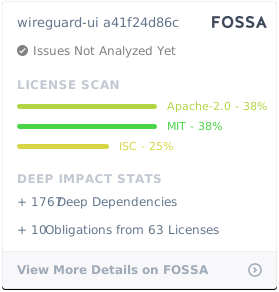
## License
|
|
Licensed under either of
|
|
|
|
* Apache License, Version 2.0, ([LICENSE-APACHE](LICENSE-APACHE) or http://www.apache.org/licenses/LICENSE-2.0)
|
|
* MIT license ([LICENSE-MIT](LICENSE-MIT) or http://opensource.org/licenses/MIT)
|
|
|
|
at your option.
|
|
|
|
[](https://app.fossa.io/projects/git%2Bgithub.com%2FEmbarkStudios%2Fwireguard-ui?ref=badge_large)
|