Sohalt
4523efdaa1
Sohalt
4523efdaa1
* Document configuration

* change wireguard-ui to wg-ui

Co-Authored-By: Sohalt <sohalt@sohalt.net>

Co-authored-by: Markus Viitamäki <markus@viitamaki.net>
2.7 KiB
WireGuard UI



A basic, self-contained management service for WireGuard with a self-serve web UI.
Features
- Self-serve and web based
- QR-Code for convenient mobile client configuration
- Optional multi-user support behind an authenticating proxy
- Zero external dependencies - just a single binary using the wireguard kernel module
- Container-first deployment

Running
The easiest way to run wireguard-ui is using the container image. To test it, run:
docker run --rm -it --privileged --entrypoint "/wireguard-ui" -v /tmp/wireguard-ui:/data -p 8080:8080 -p 5555:5555 embarkstudios/wireguard-ui:latest --data-dir=/data --log-level=debug
When running in production, we recommend using the latest release as opposed to latest.
Configuration
You can configure wg-ui using commandline flags or environment variables. To see all available flags run:
docker run --rm -it embarkstudios/wireguard-ui:latest -h
You can alternatively specify each flag through an environment variable of the form WIREGUARD_UI_<FLAG_NAME>, where <FLAG_NAME> is replaced with the flag name transformed to CONSTANT_CASE, e.g.
docker run --rm -it embarkstudios/wireguard-ui:latest --log-level=debug
and
docker run --rm -it -e WIREGUARD_UI_LOG_LEVEL=debug embarkstudios/wireguard-ui:latest
are the same.
Developing
Start frontend server
npm install --prefix=ui
npm run --prefix=ui dev
Use frontend server when running the server
go get -u github.com/go-bindata/go-bindata/...
go get github.com/elazarl/go-bindata-assetfs/...
go-bindata-assetfs -prefix ui/dist ui/dist
go build .
sudo ./wireguard-ui --log-level=debug --dev-ui-server http://localhost:5000
Contributing
We welcome community contributions to this project.
Please read our Contributor Guide for more information on how to get started.
License
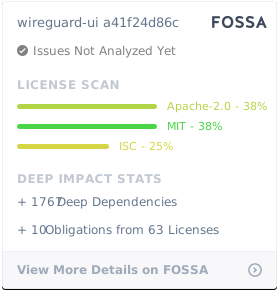
Licensed under either of
- Apache License, Version 2.0, (LICENSE-APACHE or http://www.apache.org/licenses/LICENSE-2.0)
- MIT license (LICENSE-MIT or http://opensource.org/licenses/MIT)
at your option.